
Now on the App Store
A faster way to log every fill-up.
Click2Track builds an editable fuel entry from receipt and odometer photos. Review the details before saving.

Currently available for iPhone. Mac and cross-platform versions are not in scope yet.
How it works
Screenshots
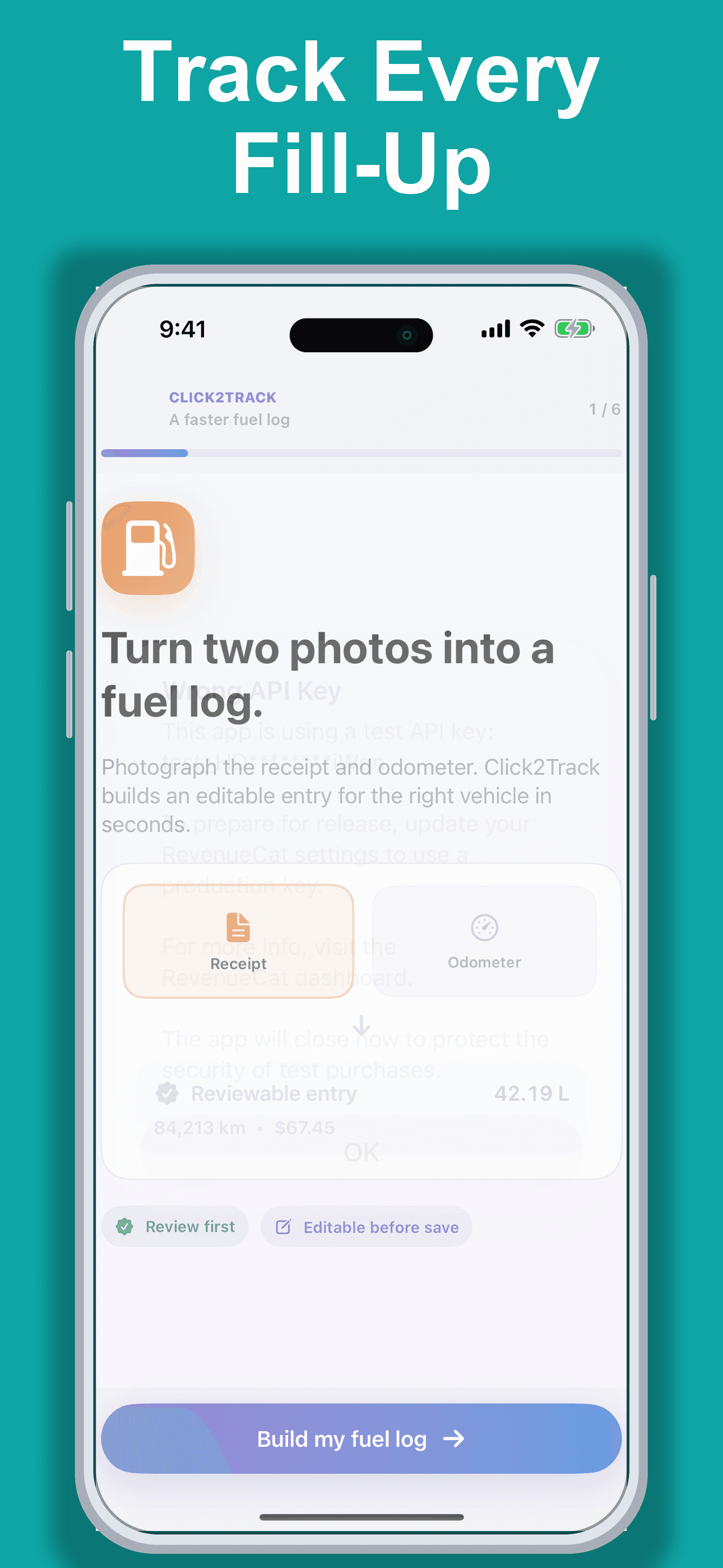
Track Every Fill-Up
Start with a guided receipt-and-odometer workflow designed to turn two photos into a fuel record.
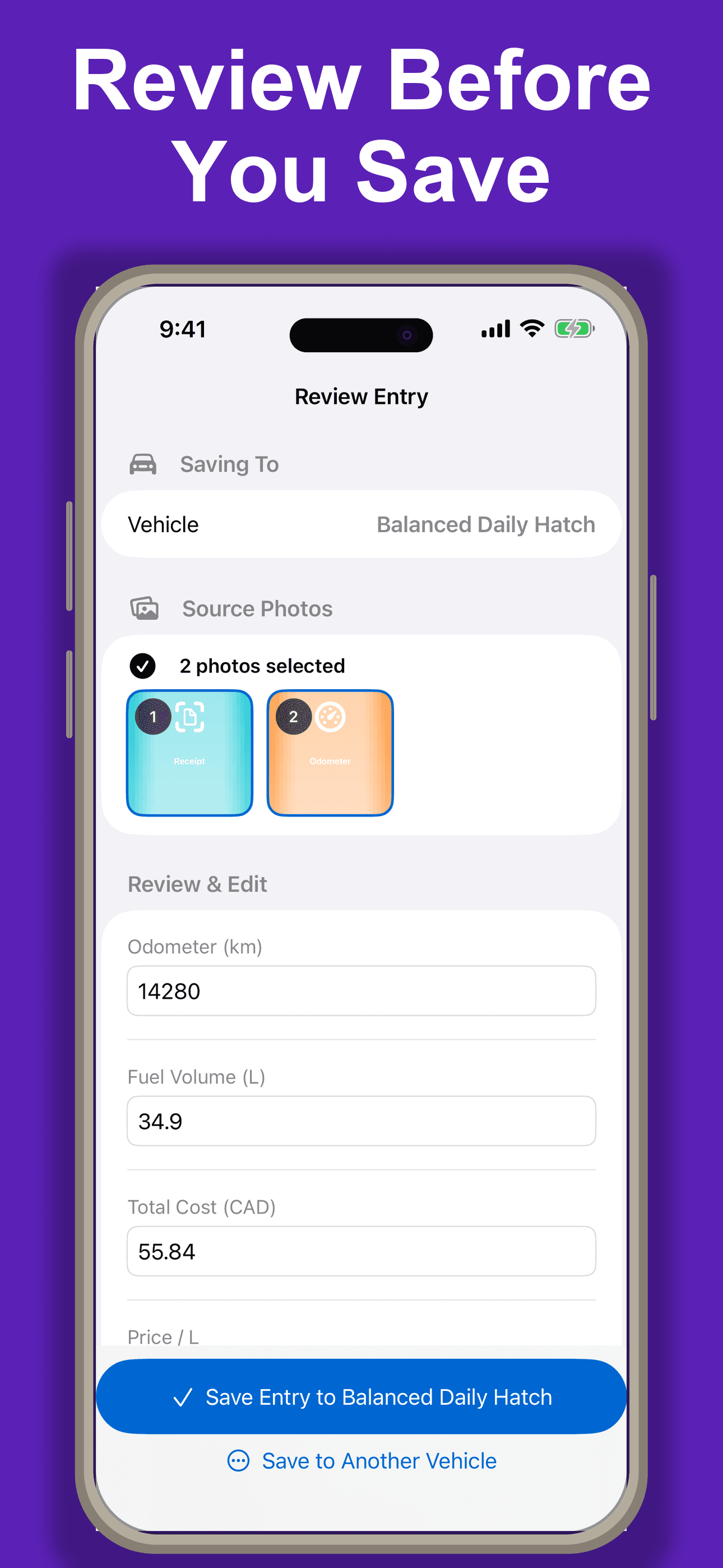
Review Before You Save
Check the selected photos and edit odometer, fuel volume, cost, and price before saving.
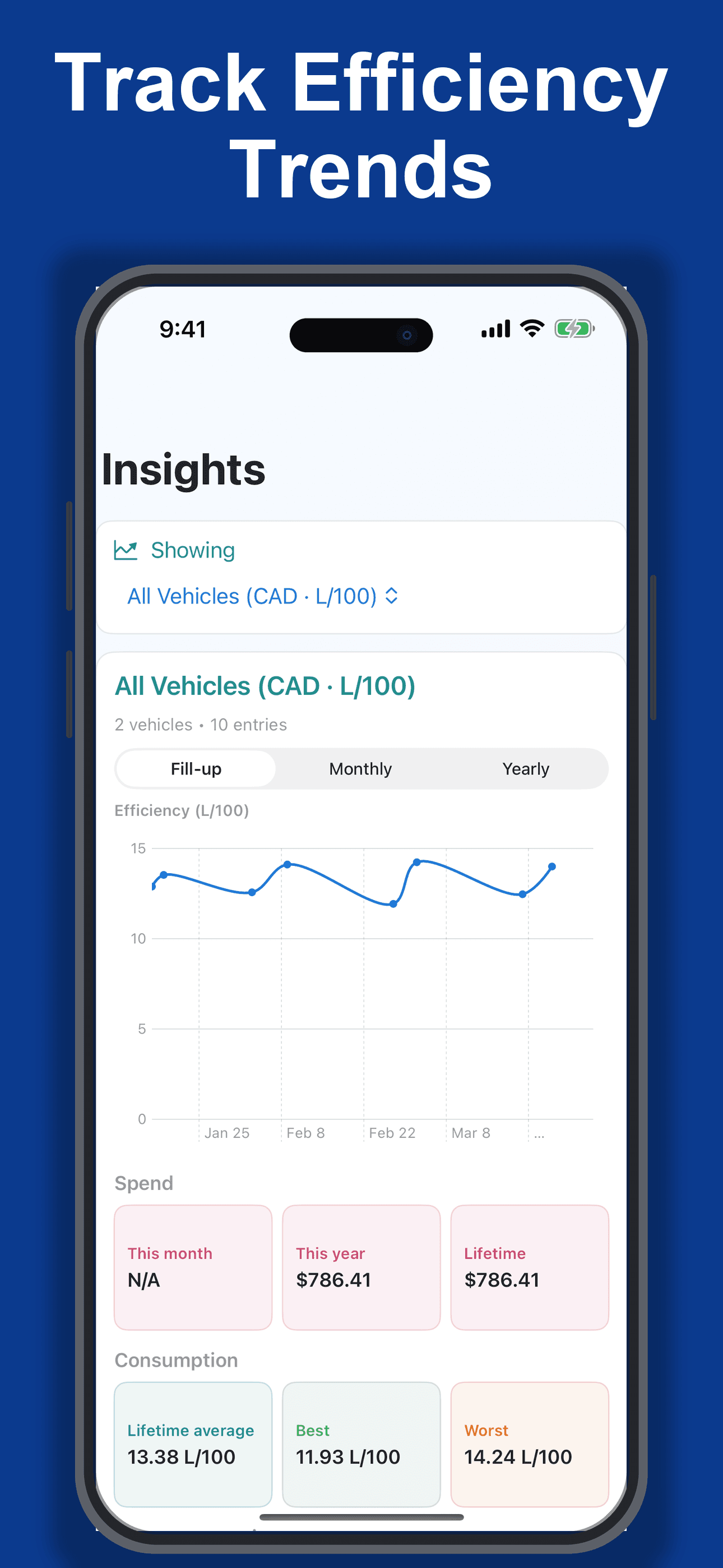
Track Efficiency Trends
See monthly and lifetime spending, consumption, and efficiency across one vehicle or the full garage.
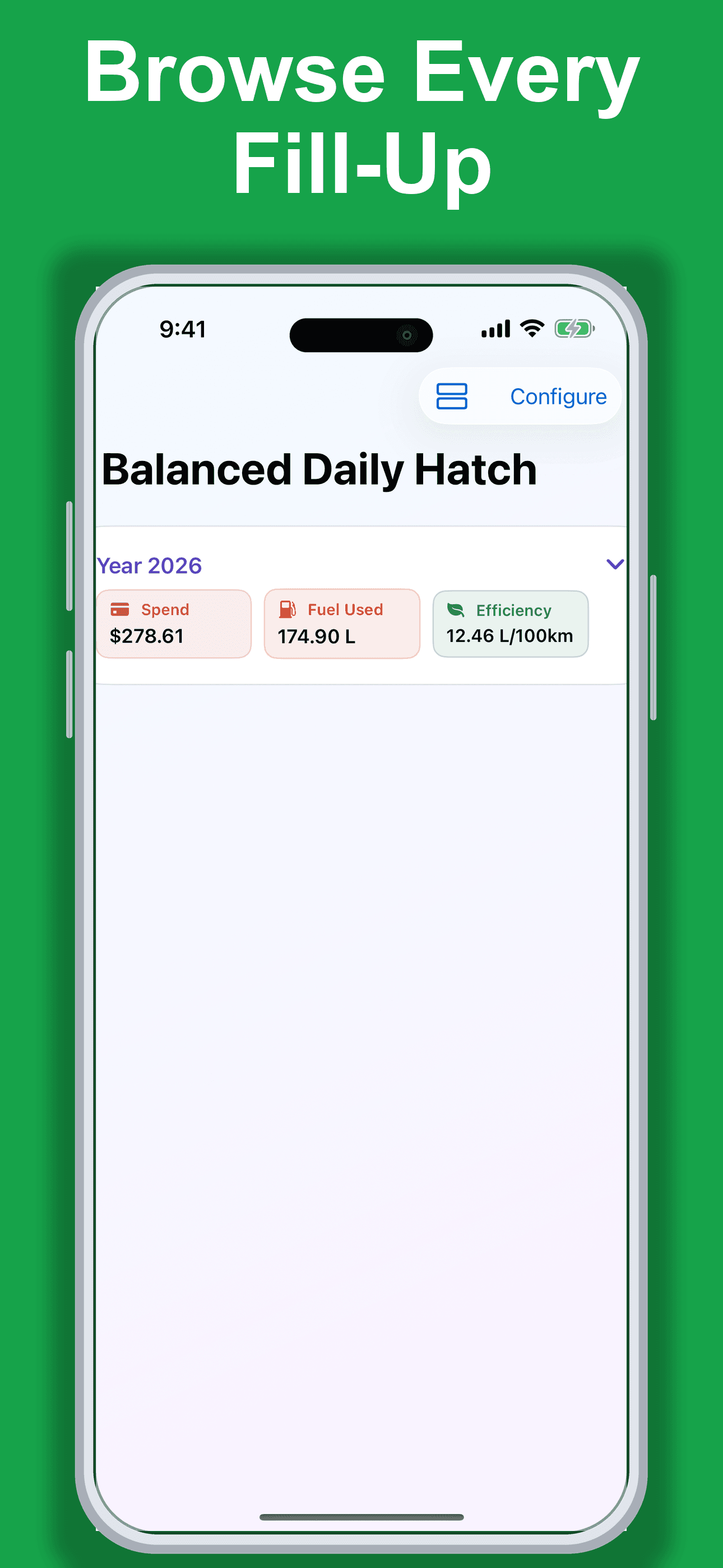
Browse Every Fill-Up
Review yearly summaries and individual fill-ups for each vehicle in one chronological history.
Built for iPhone
Everything in 1.0 is focused on faster, cleaner fuel records.
Click2Track combines guided photo capture, editable extraction, fuel insights, widgets, and regional settings in one focused iPhone app.
Flexible photo capture
Use the guided receipt and odometer flow, or allow receipt-only entries when an odometer photo is not available.
- Camera or photo library
- Two-photo guided capture
- Optional receipt-only mode
- Review before saving
Editable extraction
Click2Track extracts the fill-up details, then keeps you in control with a complete review step before anything is saved.
- Fuel volume and total cost
- Odometer reading
- Visible partial-result recovery
- Manual corrections at any time
Home Screen Widgets
Key fuel metrics can live on your Home Screen. Widgets surface current efficiency, vehicle KPIs, and trend views without reopening the app.
- Fuel Efficiency
- Vehicle KPI
- Vehicle Trend
- Small, medium, and large sizes depending on widget type
Fuel insights
Understand spending and efficiency across one vehicle or your whole garage with monthly and lifetime summaries.
- Monthly and lifetime spend
- Efficiency trends
- Per-vehicle and all-vehicle views
Your data, your units
Choose the appearance, currency, distance, volume, and efficiency units that fit you.
- Light, dark, or system appearance
- Regional fuel and distance units
- Multiple app languages
Native iPhone polish
- VoiceOver labeling in core flows
- Dark Mode support
- Localized UI across supported app languages
- Home Screen widgets for at-a-glance metrics
<30 sec
Target logging flow
Capture receipt + odometer photos, review extraction, and save.
2 photos
Automatic extraction
Capture receipt + odometer and the app fills key values before you review.
iOS first
Built for iPhone now
No Mac or cross-platform scope yet. Product direction stays intentionally focused.
How it works
A simple flow that favors verification over guesswork.
01
Capture
Snap receipt and odometer photos from camera or photo library.
02
Review
Inspect extracted values and quickly correct anything before saving.
03
Track
See efficiency in km/L, L/100km, or mpg with trend deltas over time.
Why Click2Track
Built for people who care about speed and clean data.
Speed-first flow
Designed for quick repeat use so daily fuel logging never feels like a chore.
Accuracy gates
Suspicious entries are flagged, and odometer order checks block bad computations.
Private and inclusive by default
Choose text-only processing to keep photos on your device and send only locally extracted text. Image processing is available when you choose it, and Dark Mode, Dynamic Text, VoiceOver, and multiple locales are supported natively.
For media and creators
Press assets and product facts are ready.
Use the press kit for screenshots, the app icon, product descriptions, and contact details. Follow on X, Instagram, and Reddit for launch updates.
Go to Press Kit